
Cache
Use the Cache tab in OSDK Devtools to inspect and invalidate observable cache entries and review recent cache hits and misses.
The Cache tab shows the entries in the @osdk/react observable cache and a timeline of recent cache hits and misses. Use it to confirm that a repeated read came from the cache, or to see when a read went to the network. For how the cache works, see Caching.
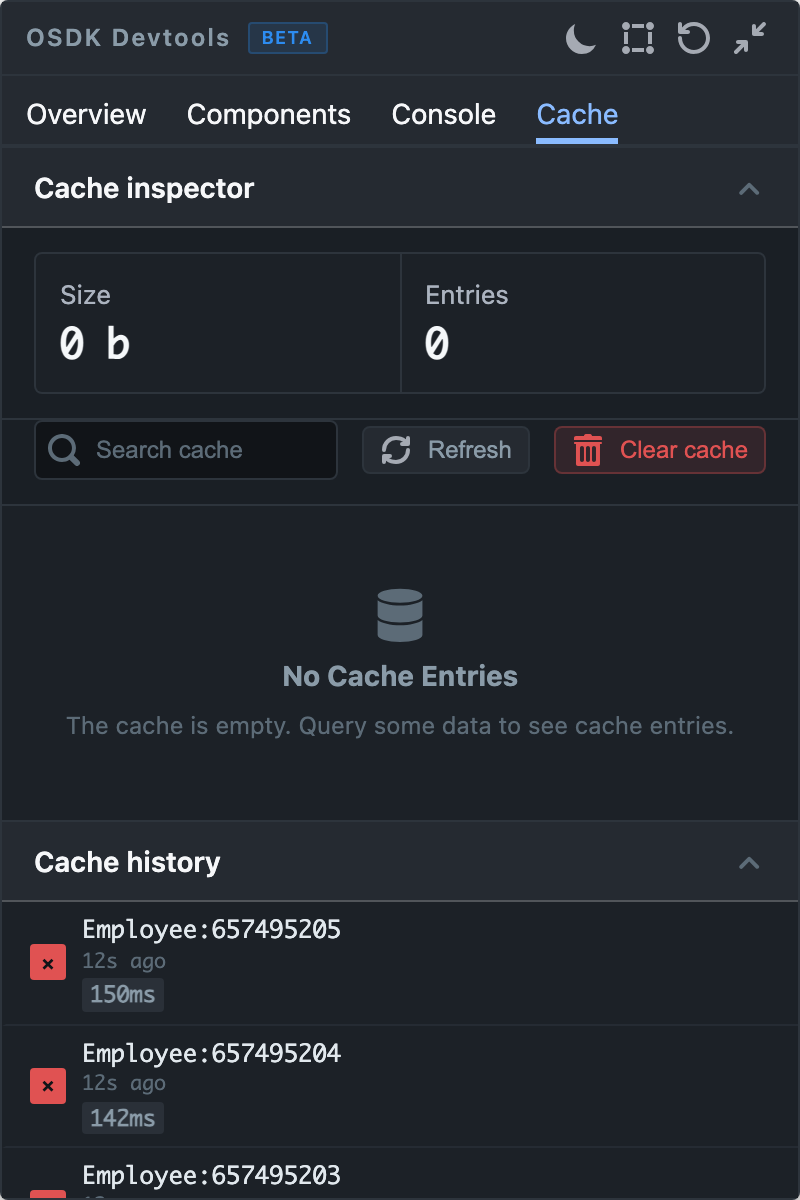
Cache inspector
The summary shows the number of entries and their estimated total size. Search cache matches cache keys, object types, and entry types.
Each entry header shows its status (init, loading, loaded, or error), age, and estimated size. Expand an entry to see its cache key, current value, and query details.
| Control | Effect |
|---|---|
| Refresh | Reloads the inspector snapshot. It does not refetch data. |
| Refresh icon on an object entry | Invalidates that object. |
| Refresh icon on a list, link, or object set entry | Invalidates every entry for that object type. |
| Clear cache | After you confirm, invalidates the whole cache. Active queries refetch. |
Cache history
Cache history lists the 50 most recent cache hits (✓) and misses (×), newest first. Each row shows the query or object signature, how long ago it happened, and the response time when one was recorded. Reset metrics clears it.
Related metrics
Requests saved, Cache hit rate, and Avg response time on Overview summarize the same operations. Select View in Cache under Cache hit rate to move from the metric to the entries behind it.